
Knowledge Base
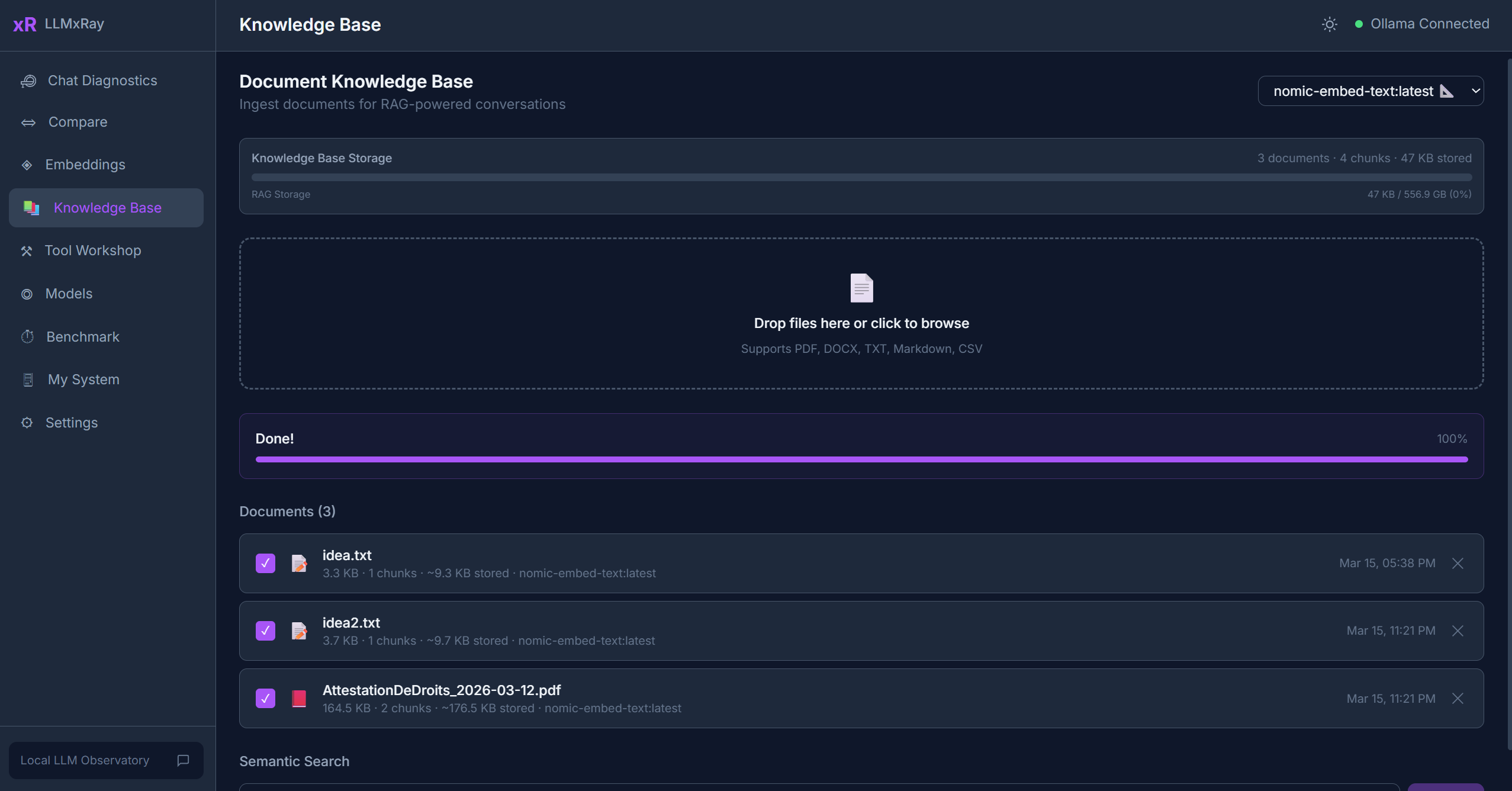
The Knowledge Base page implements a complete local RAG (Retrieval-Augmented Generation) pipeline. Upload your documents, embed them, and search with natural language — all stored in your browser.
Sidebar item: Knowledge Base Route: /rag
What is RAG?
RAG stands for Retrieval-Augmented Generation. Instead of relying only on what a model was trained on, RAG lets you feed it relevant excerpts from your own documents. The model then uses those excerpts as context to give more accurate, grounded answers.
Uploading Documents
Click Upload and select one or more files. Supported formats:
| Format | Extension | Parser |
|---|---|---|
.pdf | pdfjs-dist (lazy-loaded) | |
| Word | .docx | mammoth |
| Plain text | .txt, .md | Native |
| CSV | .csv | papaparse |
The Ingestion Pipeline
After upload, each document goes through three stages:
- Parse — Extract raw text from the file format
- Chunk — Split the text into overlapping segments (configurable size and overlap)
- Embed — Generate a vector for each chunk using your chosen embedding model
Progress is shown per document. Once complete, the document status changes to "Ready".
Searching
- Type a natural-language query in the search bar.
- Results appear ranked by cosine similarity — the most semantically relevant chunks first.
- Each result shows:
- The matching text excerpt
- The source document name
- The similarity score
- Metadata (page number, section, character offsets)
Managing Documents
- Enable/Disable — Toggle documents on or off for search. Disabled documents are not included in results.
- Delete — Remove a document and all its chunks from IndexedDB.
- Status indicators — Shows processing stage (parsing, chunking, embedding, ready, error).
Storage
Everything is stored in IndexedDB, your browser's built-in database:
- Zero cost — no external services needed
- Zero setup — works out of the box
- Data stays on your machine
- Survives browser refreshes (but not browser data clearing)
Integration with Chat
When you have documents in the Knowledge Base, relevant chunks can be automatically included as context in your chat conversations, grounding the model's responses in your data.
Tips
- Smaller chunks (200-400 tokens) tend to produce more precise search results.
- Embedding model matters —
nomic-embed-textgenerally performs well for English text. - Large PDFs take time to process. The UI shows progress so you can track the pipeline.
- You can upload multiple documents and search across all of them simultaneously.