
Benchmark
The Benchmark page runs standardized evaluations against your local models using real token logprobs, giving you objective performance data.
Sidebar item: Benchmark Route: /benchmark
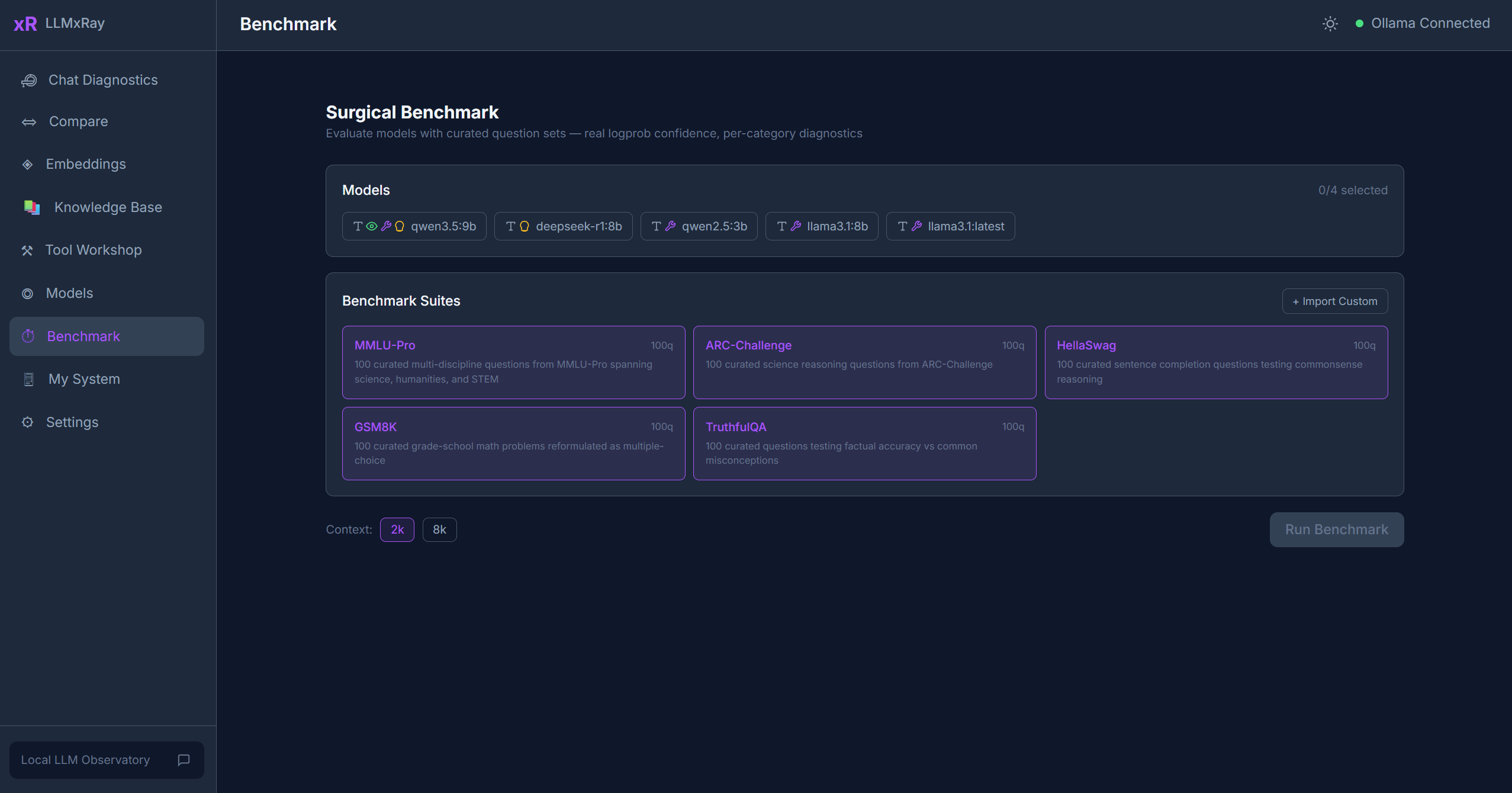
What is the Surgical Benchmark?
Unlike typical benchmarks that just check if the answer is correct, LLMxRay's Surgical Benchmark captures real token logprobs via Ollama's OpenAI-compatible endpoint (/v1/chat/completions). This gives you genuine confidence data for each answer, not just accuracy.
Built-in Test Suites
| Suite | Questions | What it tests |
|---|---|---|
| ARC | Science reasoning | Grade-school science questions |
| GSM8K | Math word problems | Multi-step arithmetic reasoning |
| HellaSwag | Sentence completion | Common-sense reasoning |
| MMLU-Pro | Multi-subject | Broad academic knowledge across domains |
| TruthfulQA | Truthfulness | Resistance to common misconceptions |
Running a Benchmark
- Select a model from the dropdown.
- Choose one or more test suites.
- Click Run. The benchmark streams results in real time.
During execution you can see:
- Live progress — Question count, current accuracy
- Per-question results — Correct/incorrect, model's answer, confidence scores
- Latency data — TTFT and tokens/sec per question
Thinking Models
For reasoning models like DeepSeek-R1, the benchmark uses dynamic token budgets — allowing the model more tokens for its <think> blocks without counting them against the answer. This ensures thinking models aren't penalized for showing their work.
Results Visualization
After completion, results are displayed as:
- Accuracy score — Overall percentage correct
- Per-category breakdown — Accuracy by subject area within each suite
- Radar chart — Visual comparison across categories
- Confidence distribution — Histogram of logprob-based confidence scores
Comparing Results
Run the same suite on multiple models to compare:
- Which model is most accurate on which subjects
- Confidence calibration — does high confidence correlate with correct answers?
- Speed vs. accuracy trade-offs
Results are stored in IndexedDB so you can compare across sessions.
Custom Suites
Click Import to load a custom benchmark suite. The expected format is a JSON file with:
- Suite name and description
- Array of questions, each with: question text, answer choices, correct answer index, and optional category
You can also create custom suites directly in the app using the Benchmark Suite Builder — add questions manually or let a local model generate them for you. See the Benchmark Builder guide for details.
Exporting Results
Click the Export button in the results header to download your benchmark data as JSON, CSV, or Markdown. JSON includes full structured data for scripting and analysis; CSV provides flat tabular data for spreadsheets; Markdown gives you a formatted report ready to paste into documents. See the Export guide for details on all export options and sharing to GitHub Discussions.
Tips
- Logprobs require the
/v1endpoint — This uses Ollama's OpenAI-compatible API, not the native/apiendpoint. - Smaller suites first — Start with a subset to estimate how long a full run will take.
- Resume support — If a benchmark is interrupted, you can resume from where it left off.
- Compare quantizations — Run the same model at Q4 and Q8 to see the accuracy impact.