
Compare
The Compare page lets you run the same prompt through multiple models or settings simultaneously and compare the results side by side.
Sidebar item: Compare Route: /compare
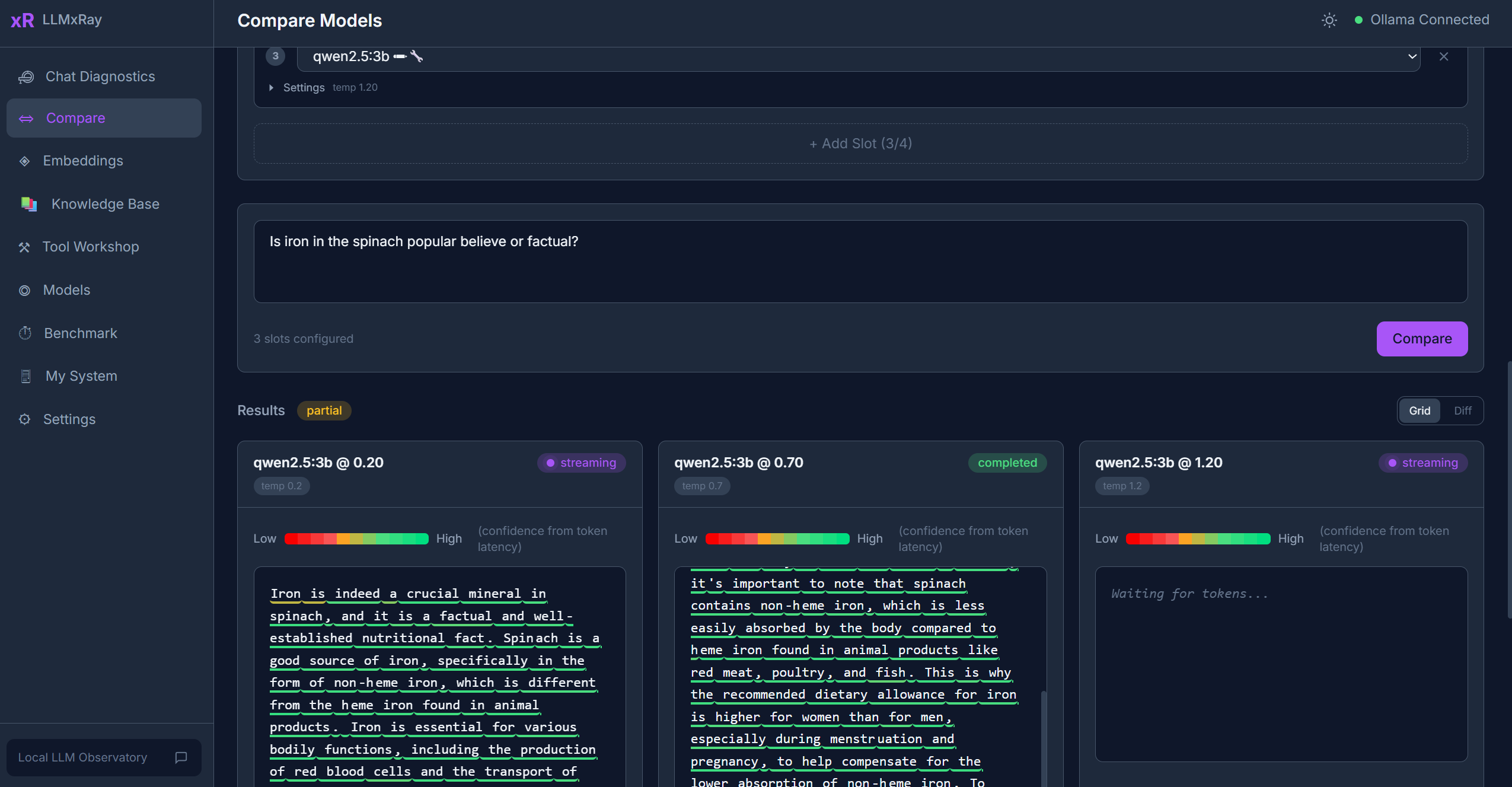
Interface Overview
The page has a prompt input area at the top and a configurable grid of slots below it. Each slot represents one model/settings combination.
Setting Up Slots
- Click Add Slot to create a comparison slot (up to 4 slots).
- For each slot, configure:
- Model — Select from your installed Ollama models (embedding models are filtered out)
- Temperature — Controls randomness (0 = deterministic, higher = more creative)
- System prompt — Optional system-level instructions
- Sampling parameters — Top-k, top-p, seed, and other Ollama options
Each slot displays its settings as pills for quick reference.
Running a Comparison
- Type your prompt in the shared input area.
- Click Run All. All slots stream their responses simultaneously.
- Watch the results appear side by side in real time.
Views
Grid View
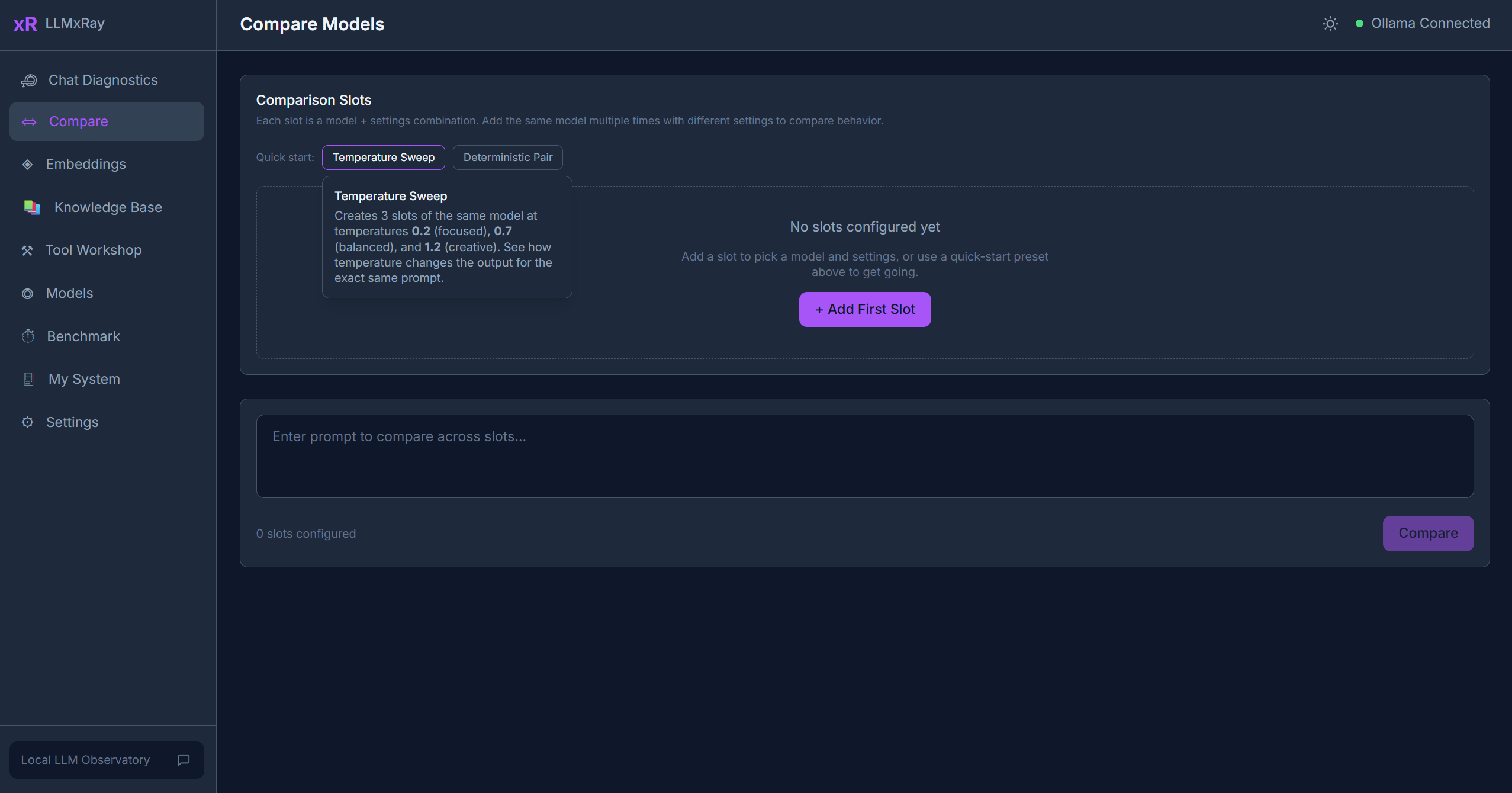
The default view. All slots display their streaming results in a grid layout. Each slot shows:
- The model response
- A settings pill showing the model name and temperature
Diff View
Switch to diff view to see word-level highlighting of what changed between two outputs. Added text is highlighted green, removed text is highlighted red.
Metrics Bar
Below the grid, a visual metrics bar compares key performance indicators across all slots:
| Metric | Description |
|---|---|
| TTFT | Time to first token — how fast each model started responding |
| Tokens/sec | Generation throughput |
| Total tokens | Completion token count |
Quick Presets
One-click presets to set up common comparison scenarios:
- Temperature Sweep — Same model at 3 different temperatures (0.2, 0.7, 1.2) to see how creativity changes
- Deterministic Pair — Same model, same seed, same settings — verifies reproducibility
Saving, Exporting, and Sharing
Comparison results are automatically saved to IndexedDB, and you can export them as JSON or Markdown, or share them to GitHub Discussions. These features are covered in detail in the Language Compare guide — they apply to all comparison types, not just language comparisons.
Tips
- Same model, different settings is often more insightful than comparing different models. Try varying temperature or system prompts.
- Slots persist across page navigation within the session.
- Use a low token count prompt for quick iterations.