FREE  ·  LOCAL  ·  FOR OLLAMA

LLMxRay

Observe and diagnose Ollama.

A free, local observatory for Ollama: every prompt your tools send, drawn to scale, with what the context window cut and what the cache reused.

$npx llmxray
See what it shows

v0.8.13 · What's new

SCANNING…25%

What you can diagnose

Four things you can see, and fix.

When a chat outgrows the context

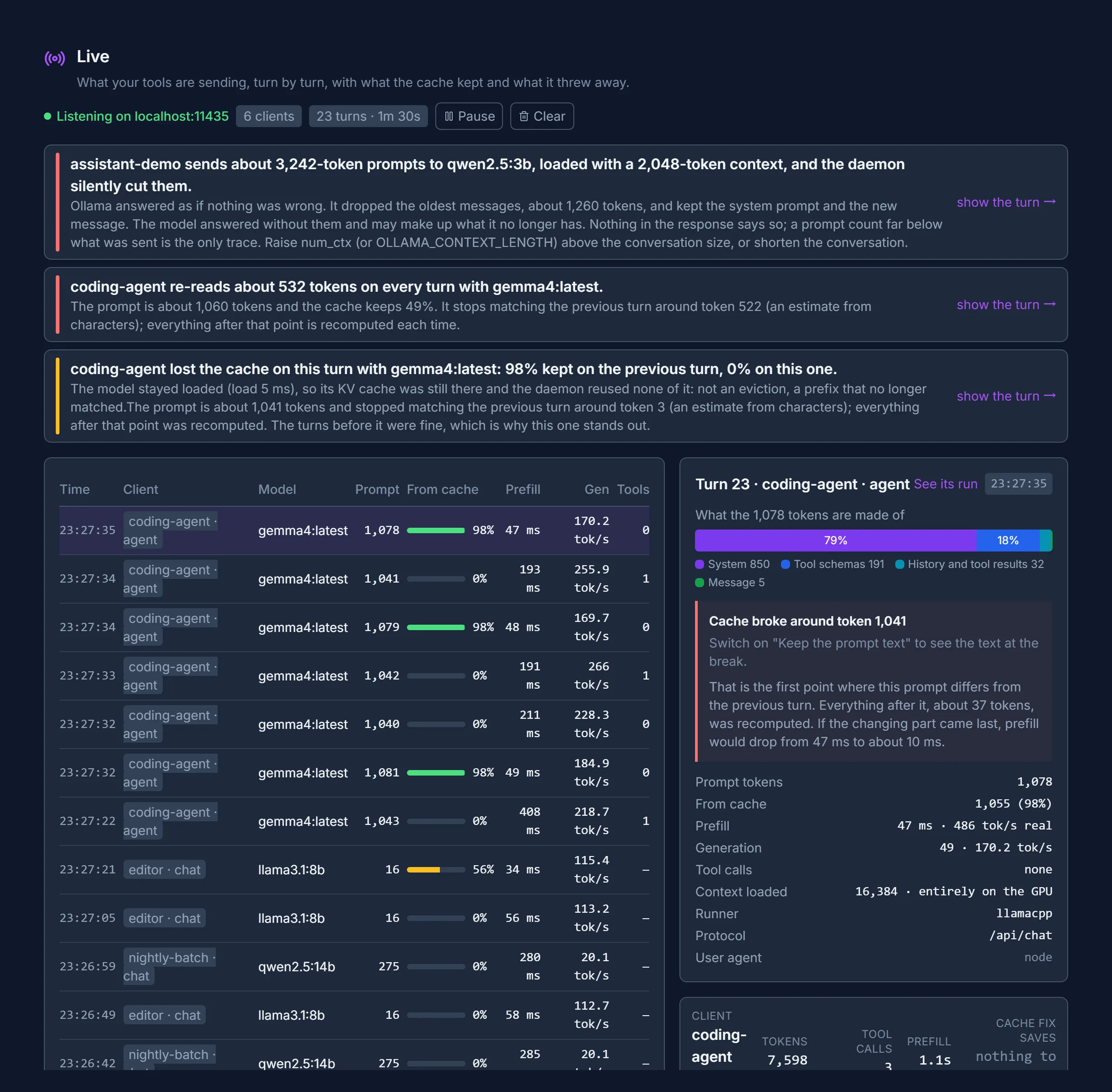
A conversation longer than the model's context loses its oldest messages, and the model answers without them. LLMxRay shows when it happens and how much was dropped.

When the instructions alone are too long, it is their start that goes.

Fix: raise num_ctx.
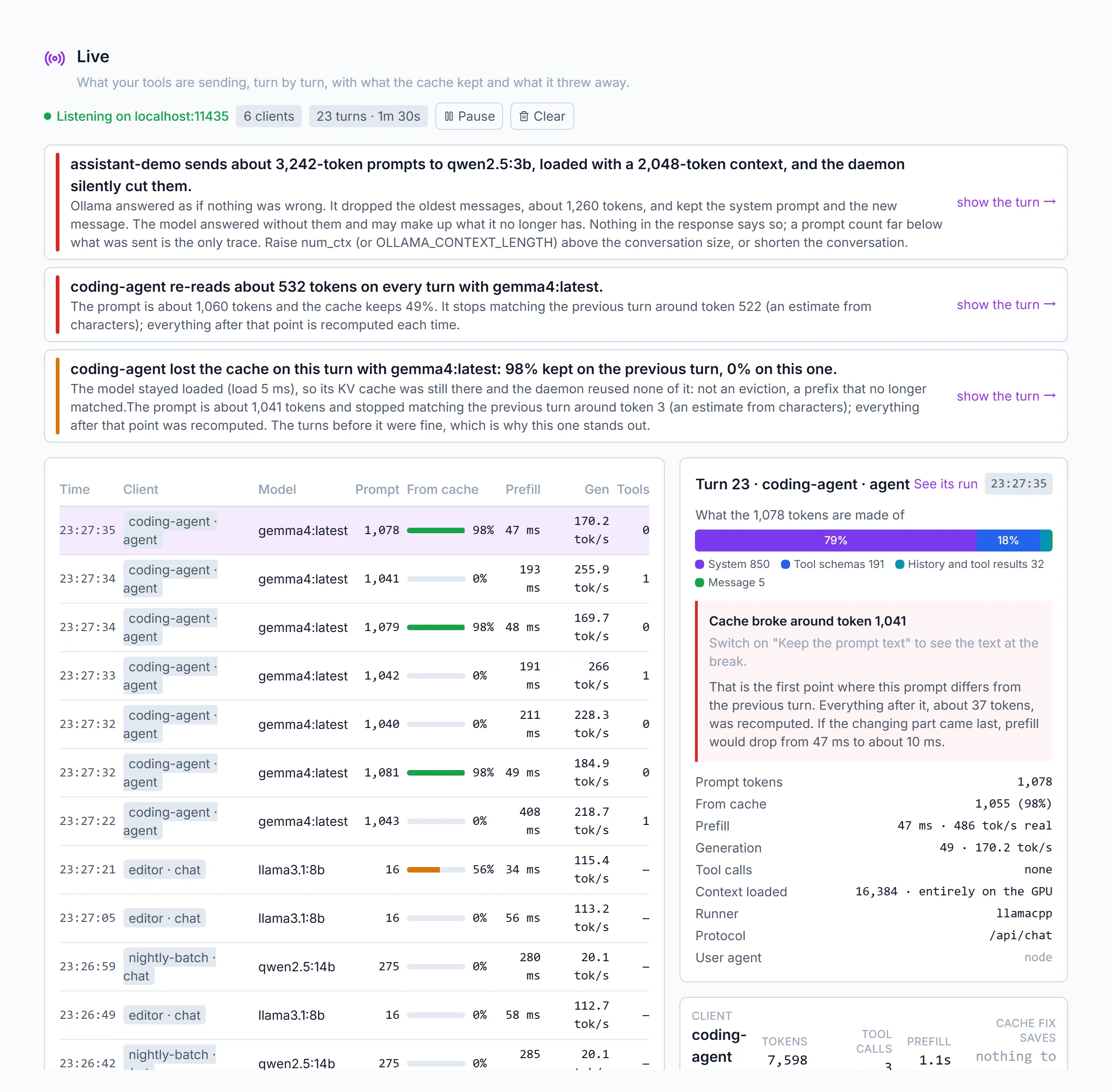
The Live page: one line per turn from each tool, with the model, the prompt size, how much came from the cache, and the findings above the list.The Live page: one line per turn from each tool, with the model, the prompt size, how much came from the cache, and the findings above the list.

One timestamp, and the cache is gone

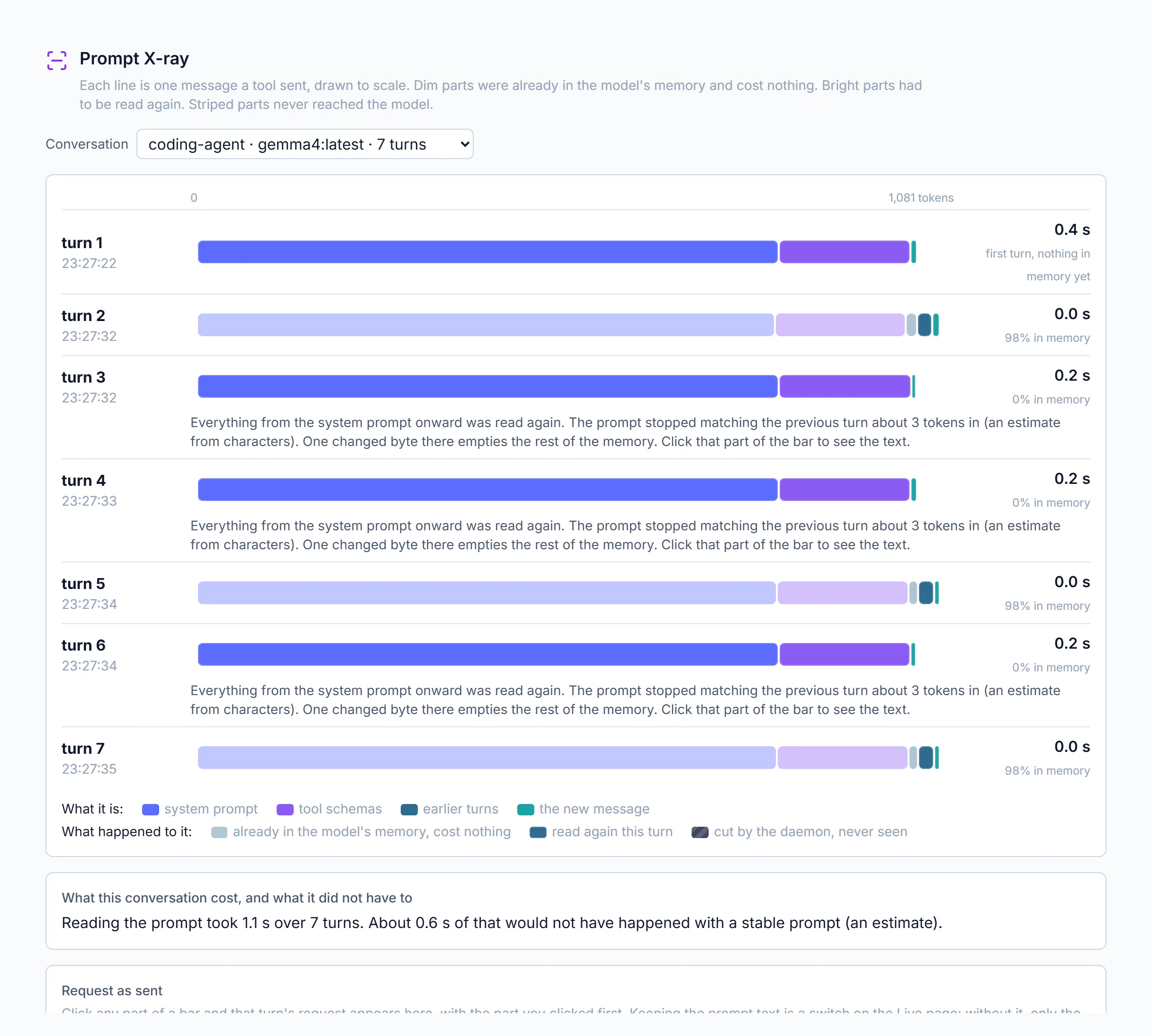
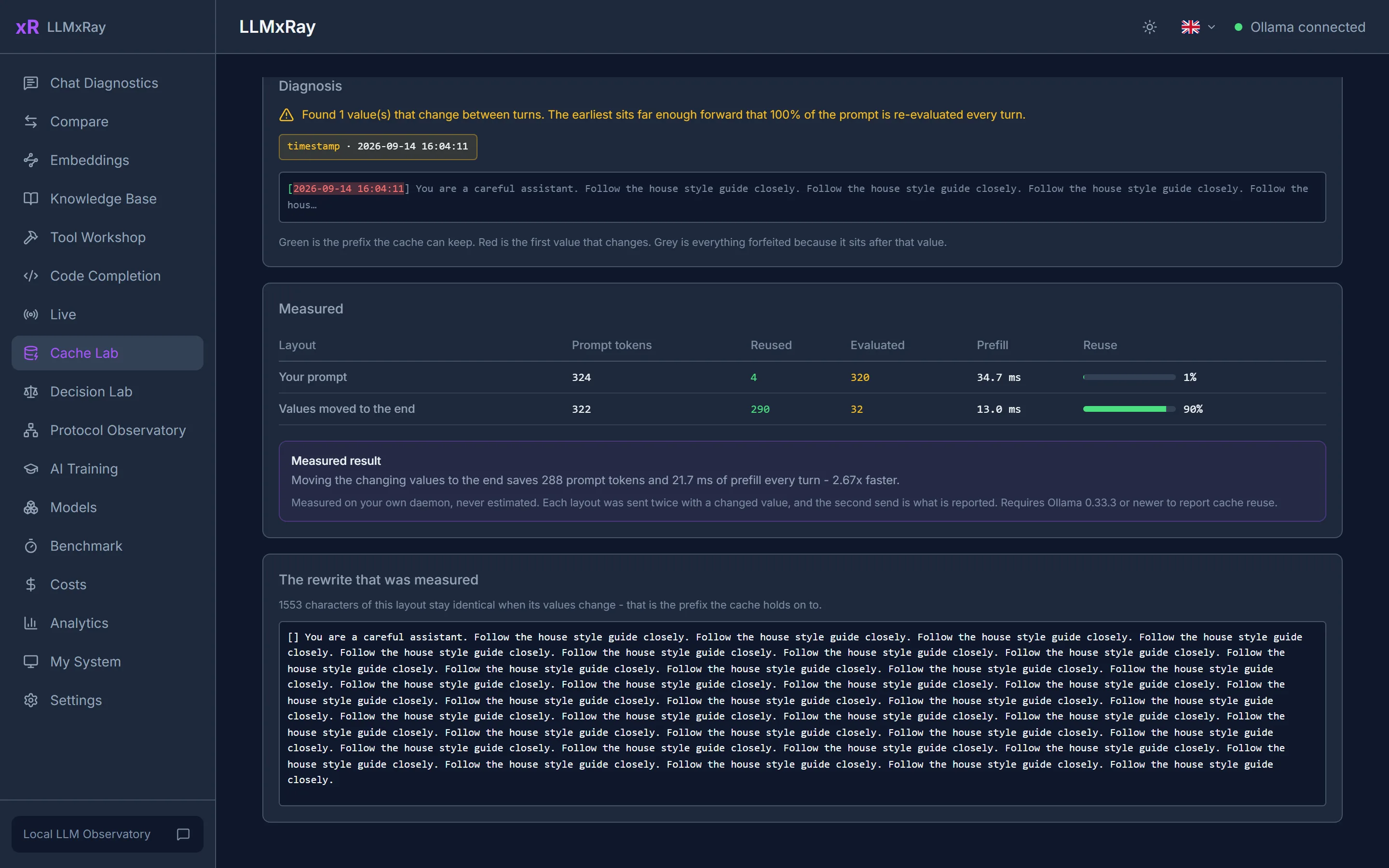
A value that changes near the top of your prompt makes the model re-read everything, every turn.

Move it to the end and the same turn costs almost nothing.

Fix: put dates, ids and counters at the end of the prompt.

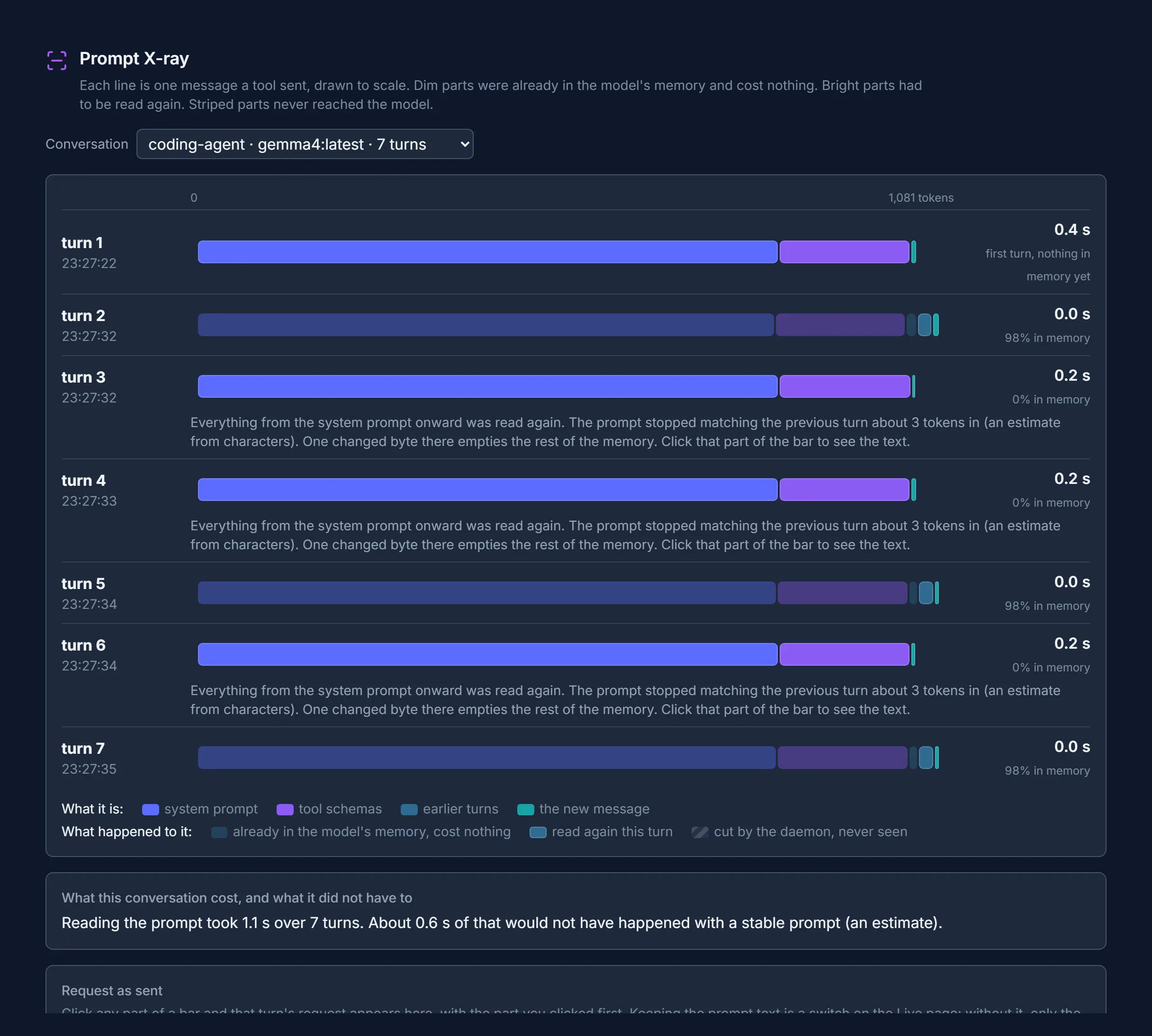
Prompt X-ray: seven turns of one agent drawn as bars. Pale turns were already in memory; bright turns had to be read again.Prompt X-ray: seven turns of one agent drawn as bars. Pale turns were already in memory; bright turns had to be read again.

Which tool is using the GPU?

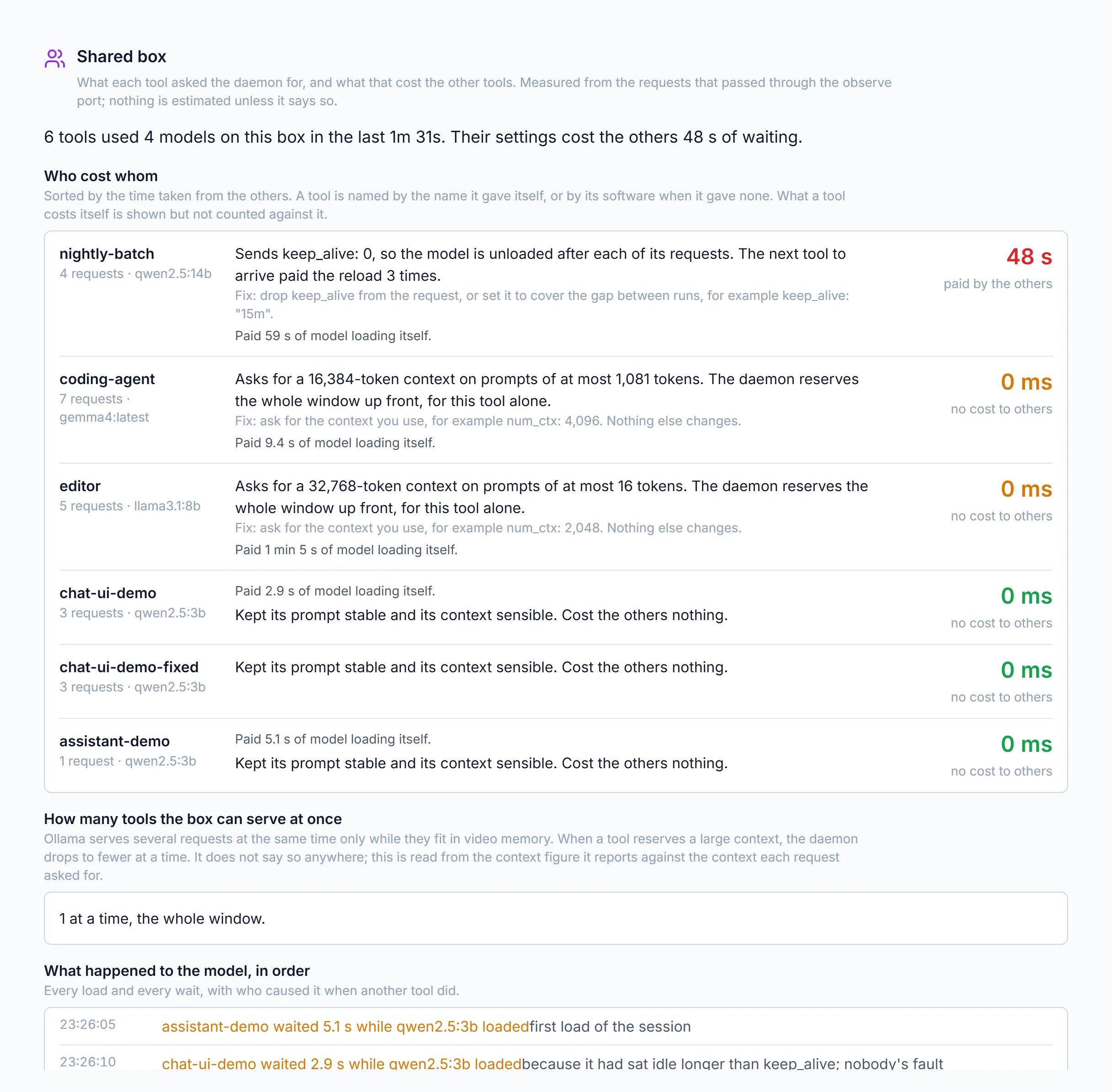
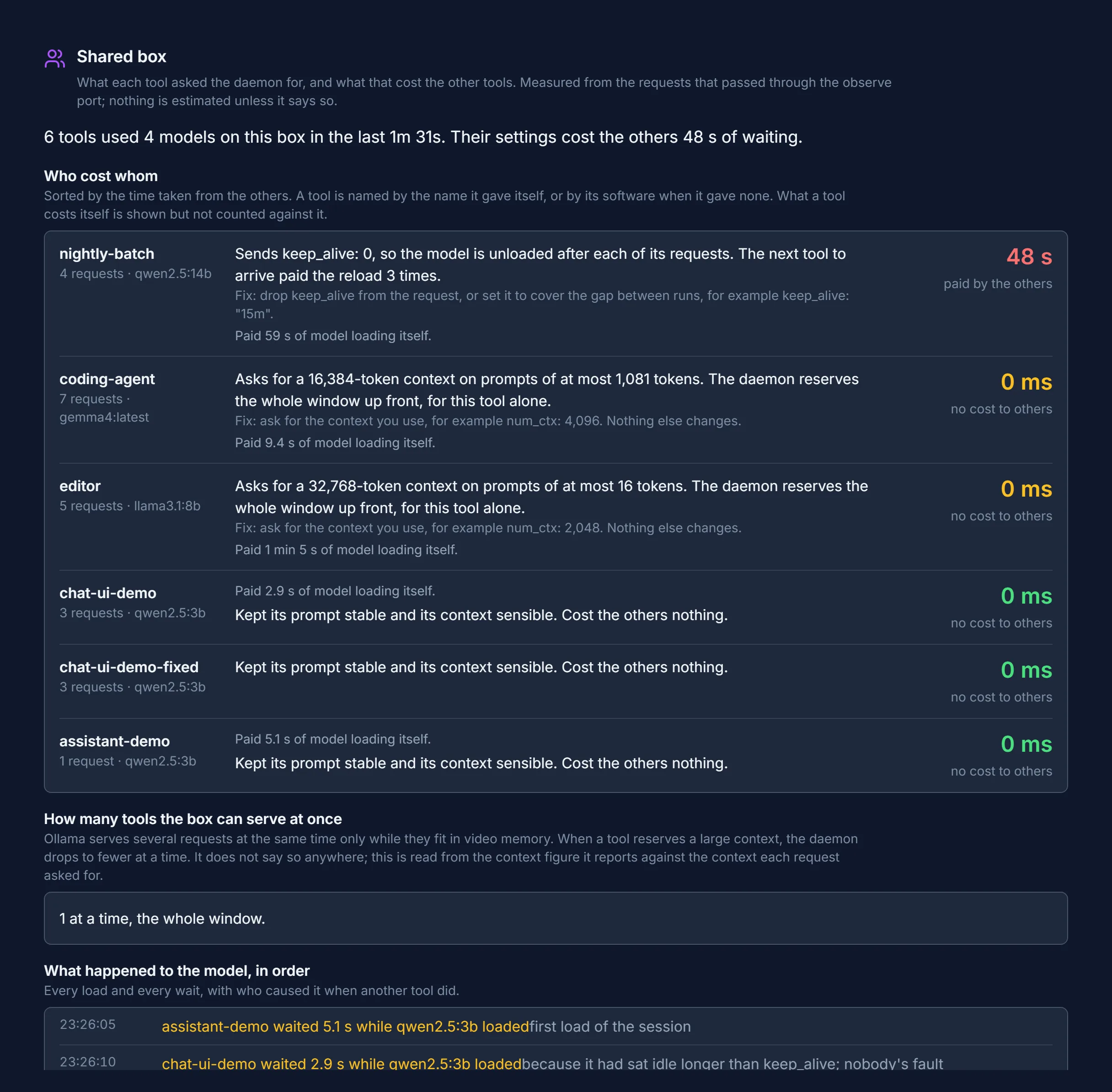
Two tools on one graphics card kept throwing out each other's model. Every call waited about 16 seconds for a reload.

Shared box names the tool, the cost to the others, and the setting to change.

Fix: keep_alive on the tool that unloads, num_ctx on the tool that asks for too much.

Shared box: one line per tool, sorted by the waiting time it caused the others, each with the setting to change.Shared box: one line per tool, sorted by the waiting time it caused the others, each with the setting to change.

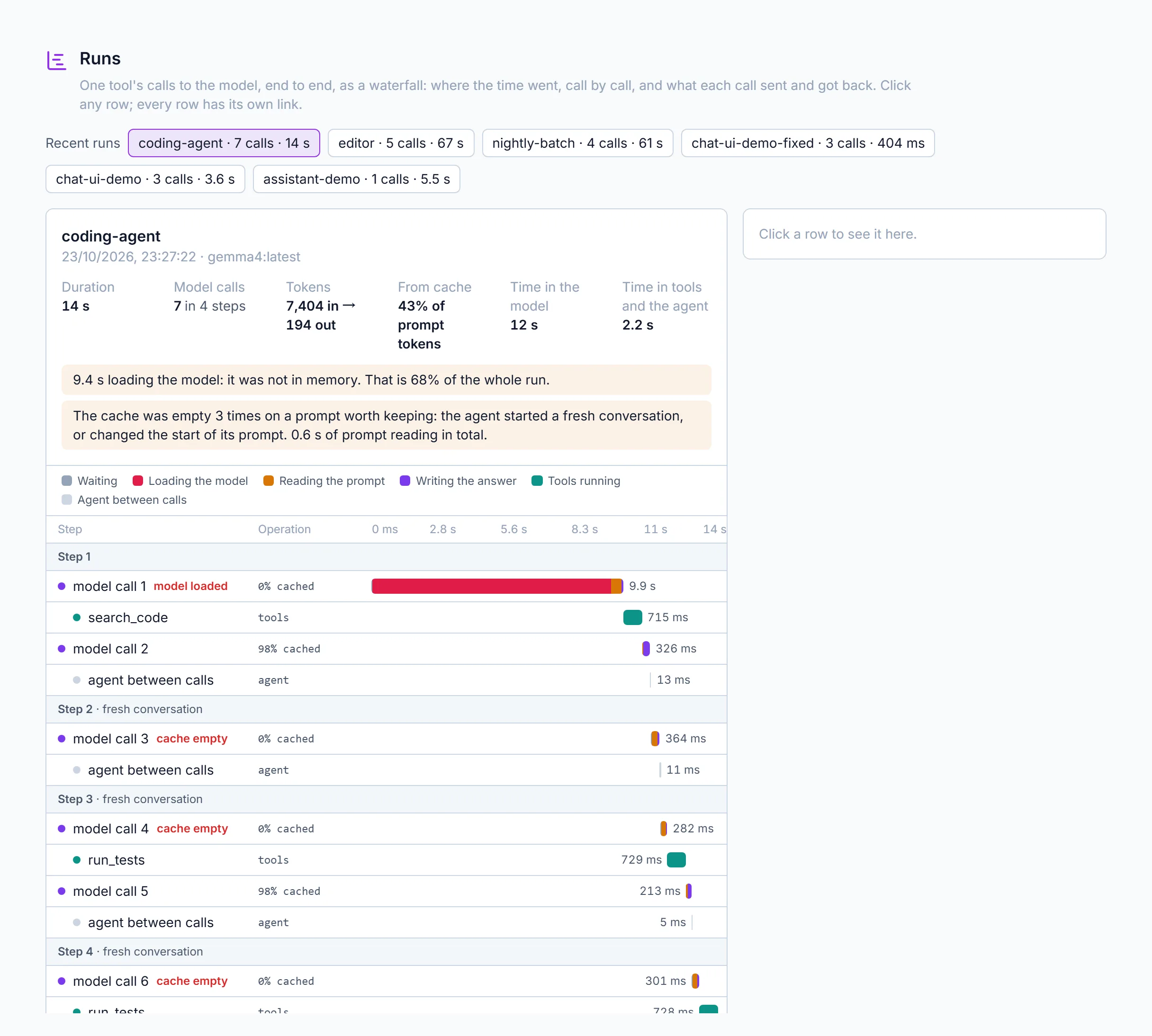
Your agent starts over at every step

An agent that opens a fresh conversation for each step re-reads its instructions every time.

Runs lays out every call, so you see which steps started from nothing and what each one cost.

Fix: keep one conversation across steps.

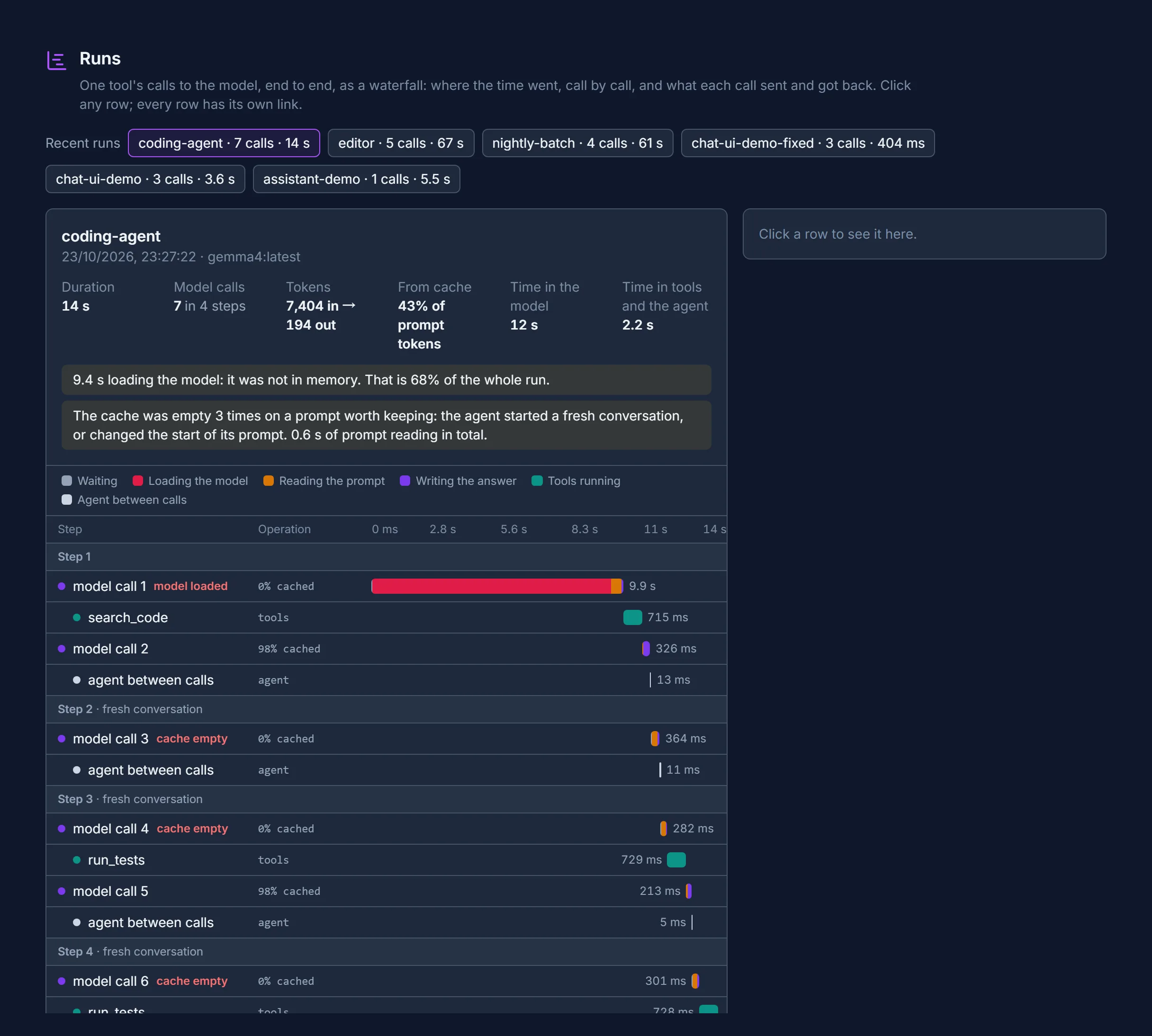
Runs: an agent's seven calls on a timeline, with the model load in red, the prompt reading in orange, the answer in violet, and the tools in green.Runs: an agent's seven calls on a timeline, with the model load in red, the prompt reading in orange, the answer in violet, and the tools in green.

How it works

Point your tools at a second port.

Use port 11435 instead of 11434. LLMxRay passes everything to Ollama and keeps the counts and timings.

VS Code CopilotOpen WebUIContinue, n8nyour scripts and agents
→
LLMxRaylocalhost:11435
→
Ollamalocalhost:11434
→
Live pageevery turn, as it lands

npx llmxray  ·  docker run -p 5174:5174 -p 11435:11435 djovaneli/llmxray

Where to set the address: Ollama SDKs and CLI OLLAMA_HOST=127.0.0.1:11435 · OpenAI-compatible clients base_url=http://localhost:11435/v1 · Continue apiBase · Open WebUI OLLAMA_BASE_URL.

Counts and timings only

Kept on your machine for 30 days.

Prompt text stays off

Switch it on when you want to read a turn.

Nothing leaves your machine

No account, no key, no cloud.

See every view →

Measured, not guessed

Move one timestamp, get 3.5x faster

Cache Lab sends your prompt both ways to your own Ollama and measures the difference.

Same words, same model, only the order changed.

How Cache Lab works →
Cache Lab: the value that changes between turns is highlighted, and a table shows the measured prefill time with it at the front and at the end.

Send the turns on

Each call becomes an OpenTelemetry span, each run a trace. Set an address on the Live page.

JaegerArize PhoenixLangfuseGrafana Tempo

Let your agent ask

A read-only MCP server answers what went wrong with its last calls. For agents →

{ "mcpServers": { "llmxray": { "command": "npx", "args": ["-y", "-p", "llmxray", "llmxray-mcp"] } } }

The Lab

Same install, one page over.

Diagnostics

Chat token by token, compare settings, benchmark your model.

Diagnostics →

Embeddings & RAG

See what your documents returned before the model answers.

Embeddings & RAG →

Tool calls

Find out if a model can call tools the way your agent needs.

Tool calls →
Featured on LaunchLaunch