What is each tool sending?
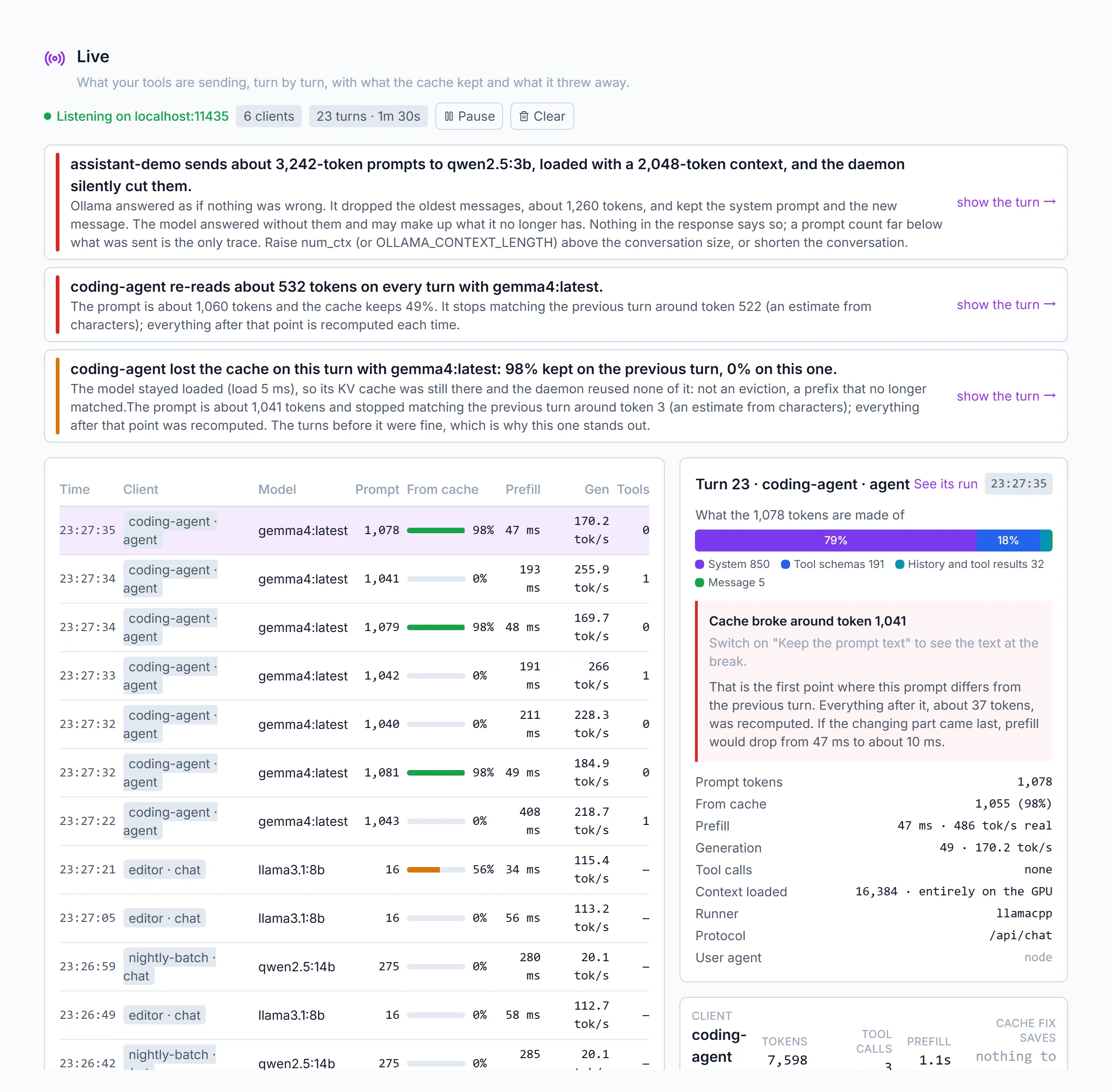
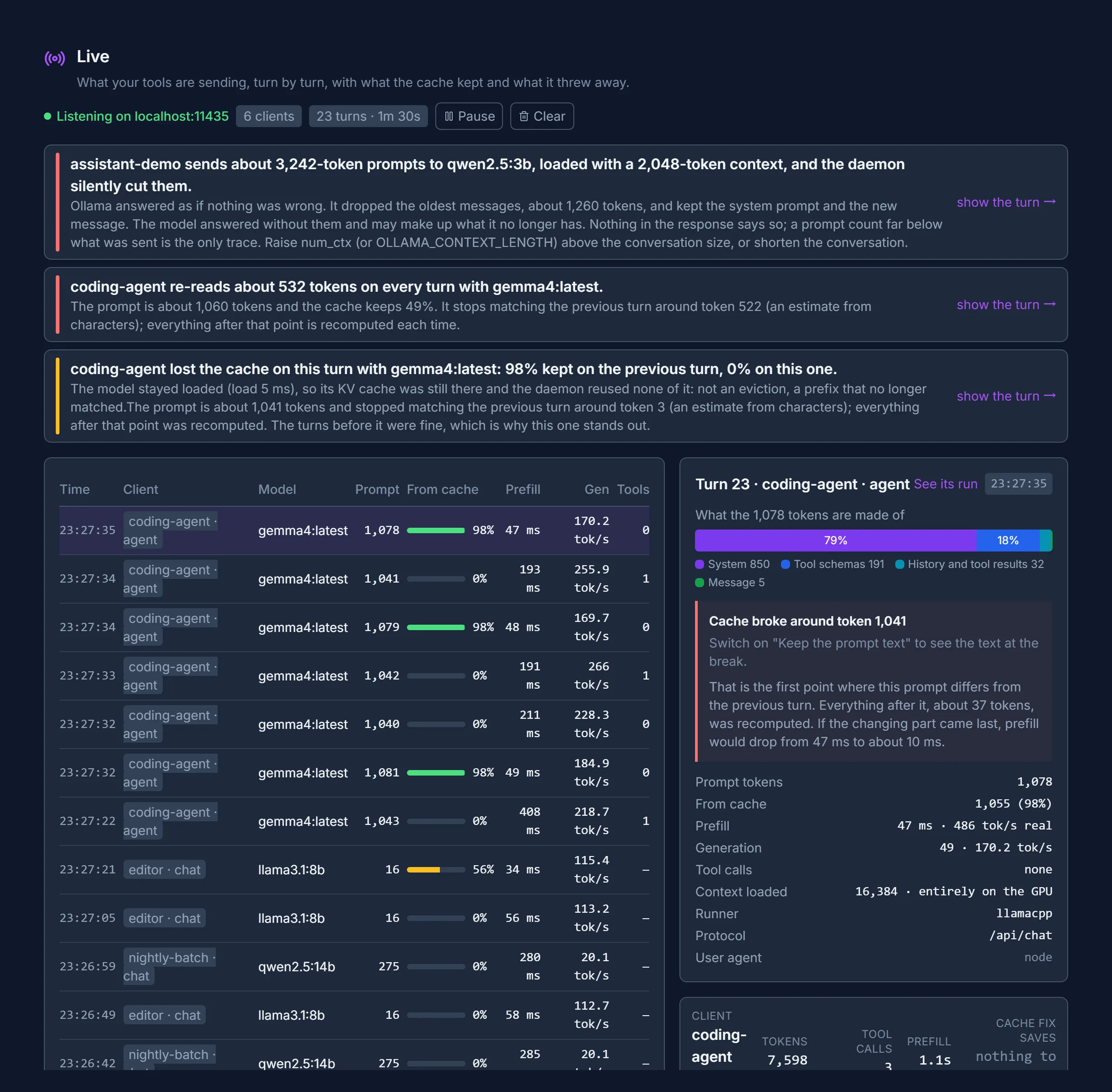
Live lists every turn as it arrives: which tool, which model, how much the cache kept.
When something is wrong, you get one plain sentence and the fix.
What it shows
Each one answers a question you have asked yourself about Ollama. Click a picture to see it full size.
Live lists every turn as it arrives: which tool, which model, how much the cache kept.
When something is wrong, you get one plain sentence and the fix.
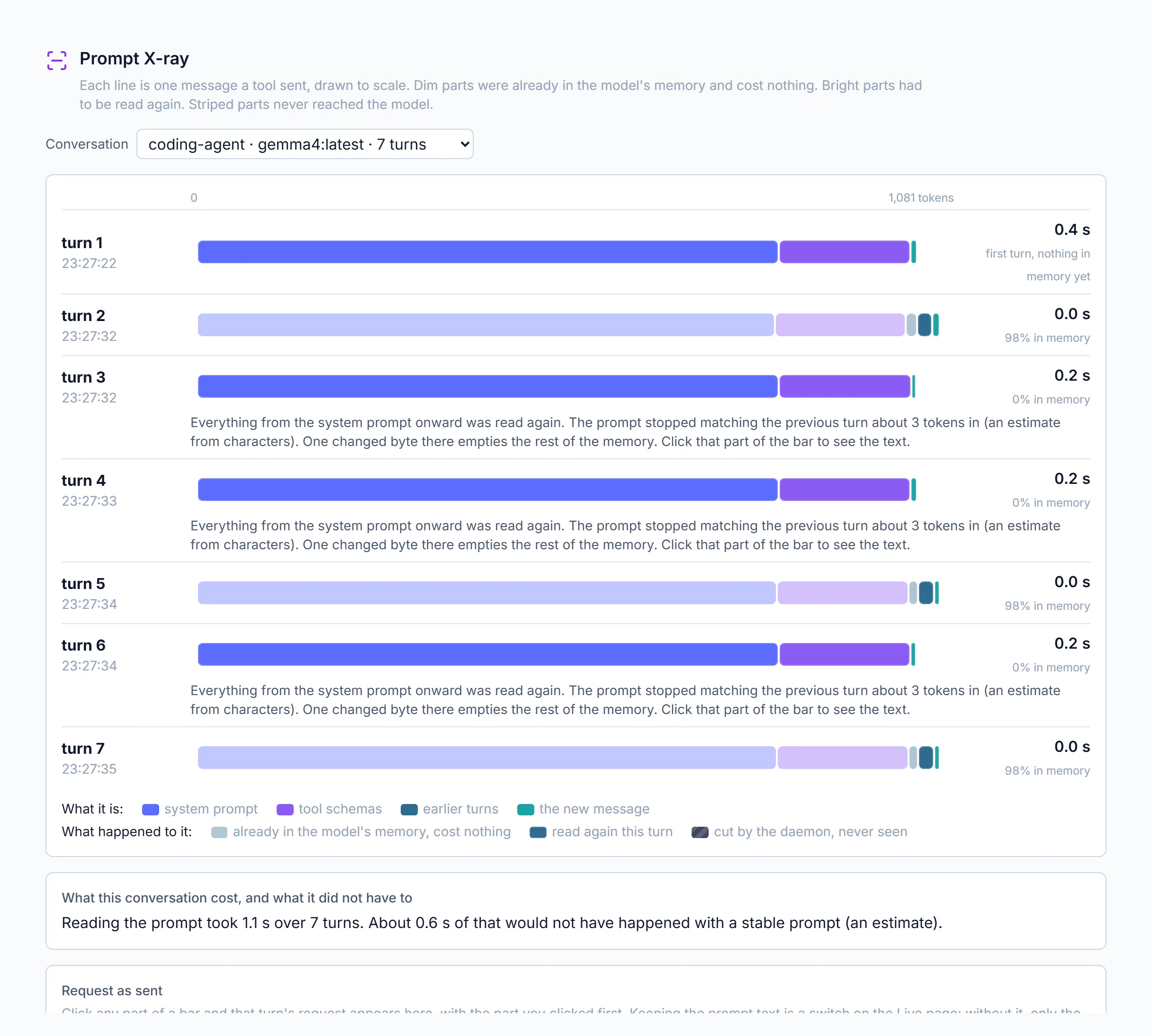
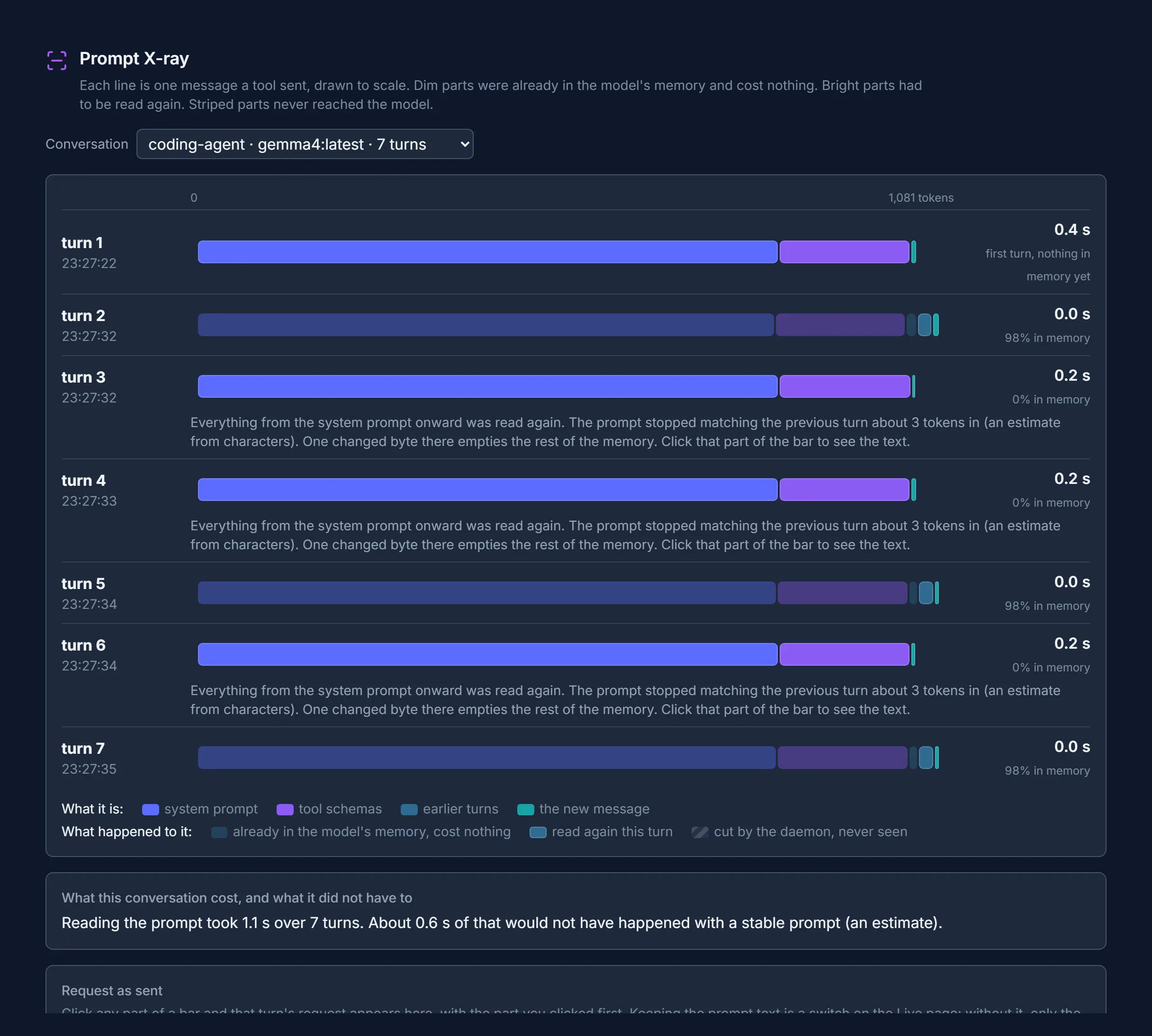
Each turn is a bar. Pale parts were already in memory. Bright parts had to be read again.
Striped parts never reached the model.
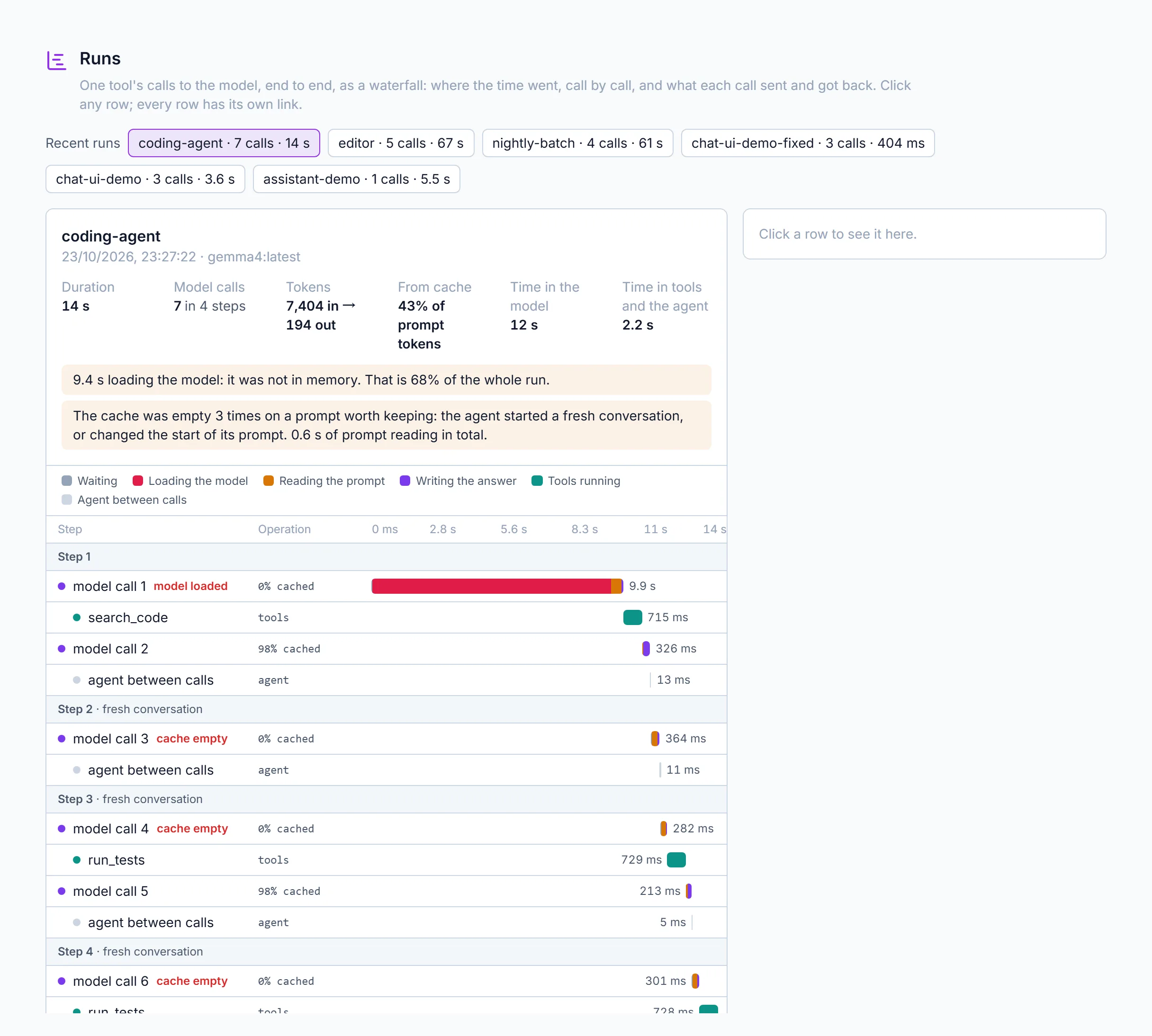
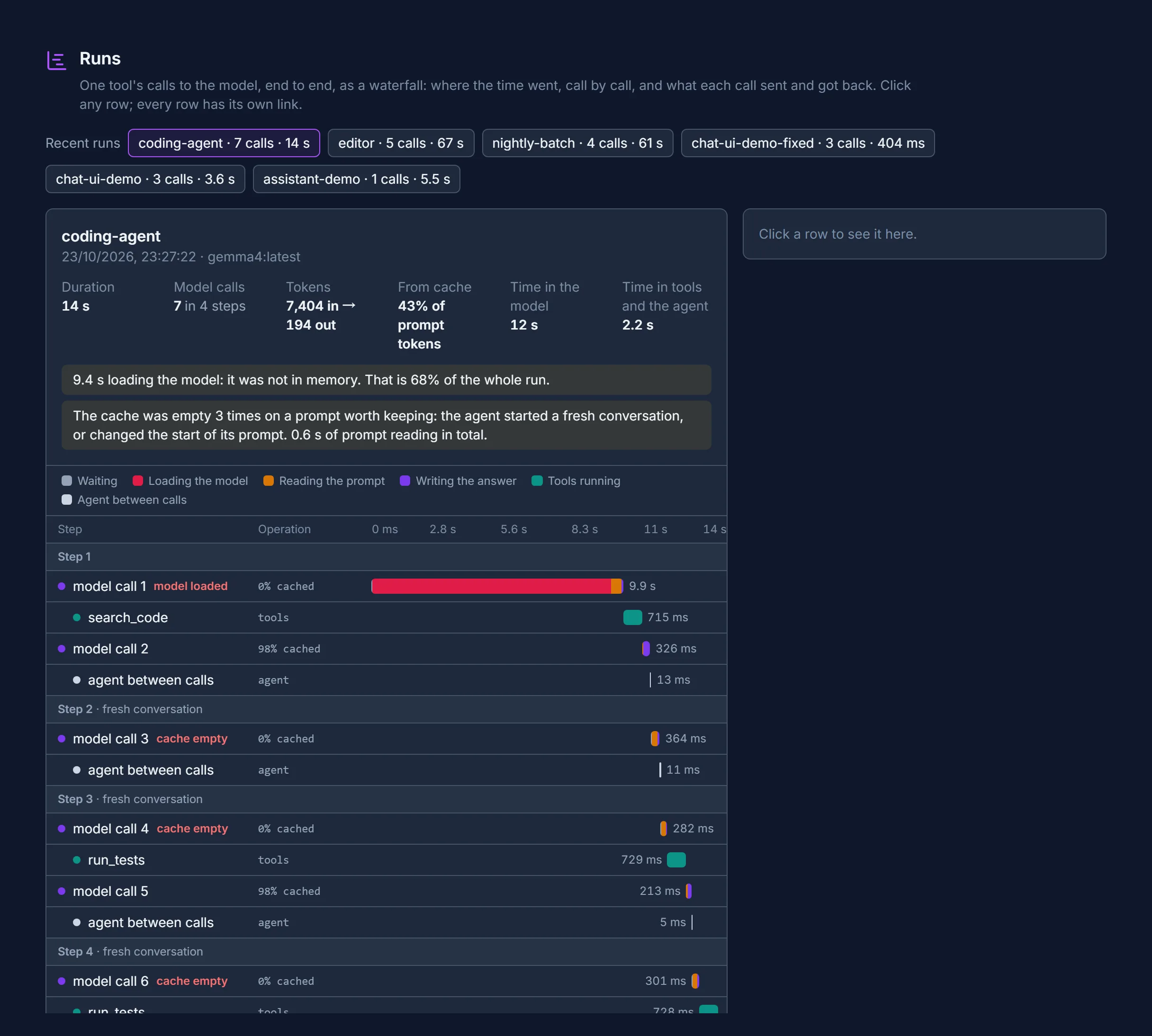
Every call on a timeline: loading the model, reading the prompt, writing the answer, waiting.
Steps that start from nothing are marked, so you see what your agent throws away.
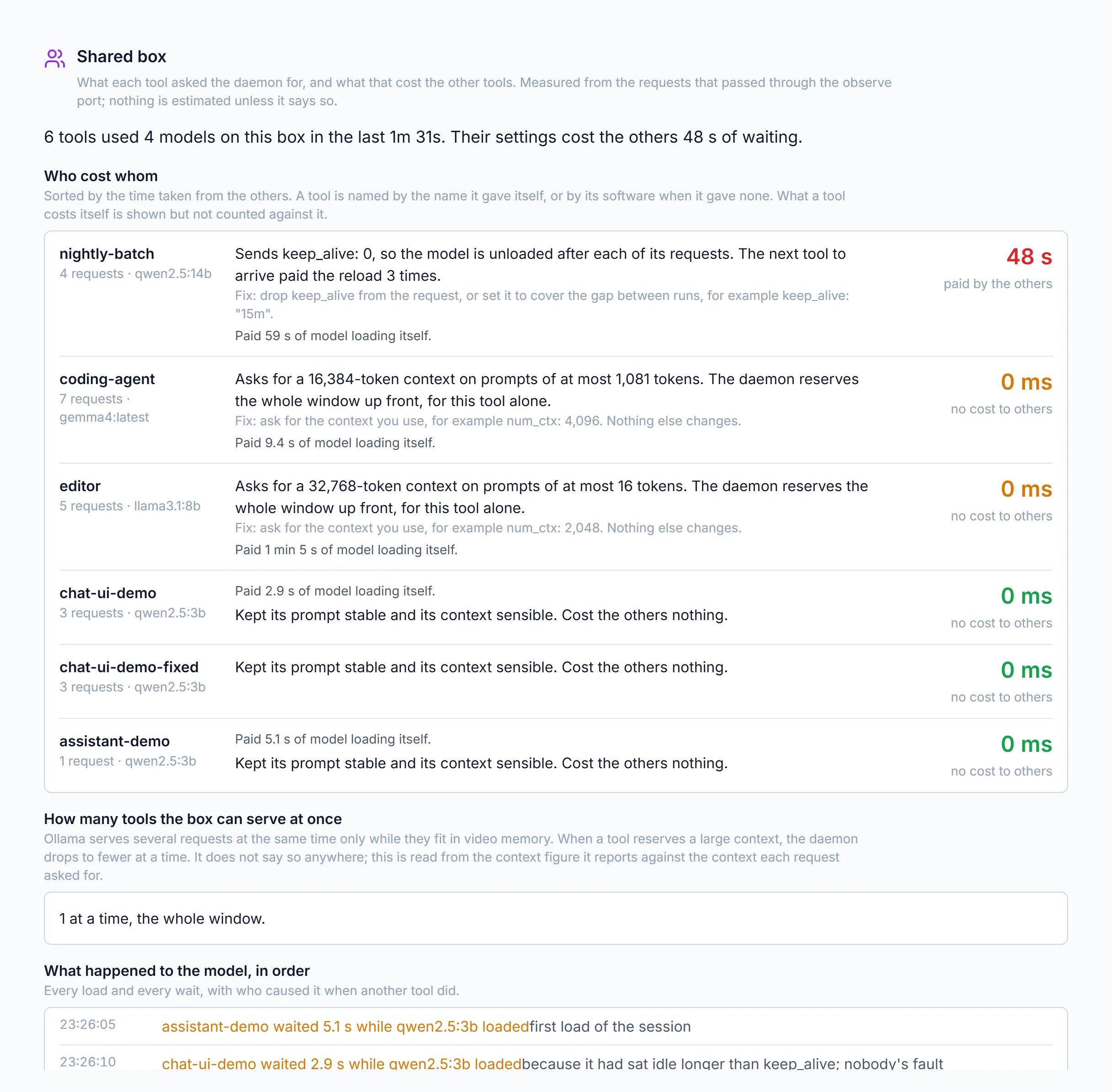
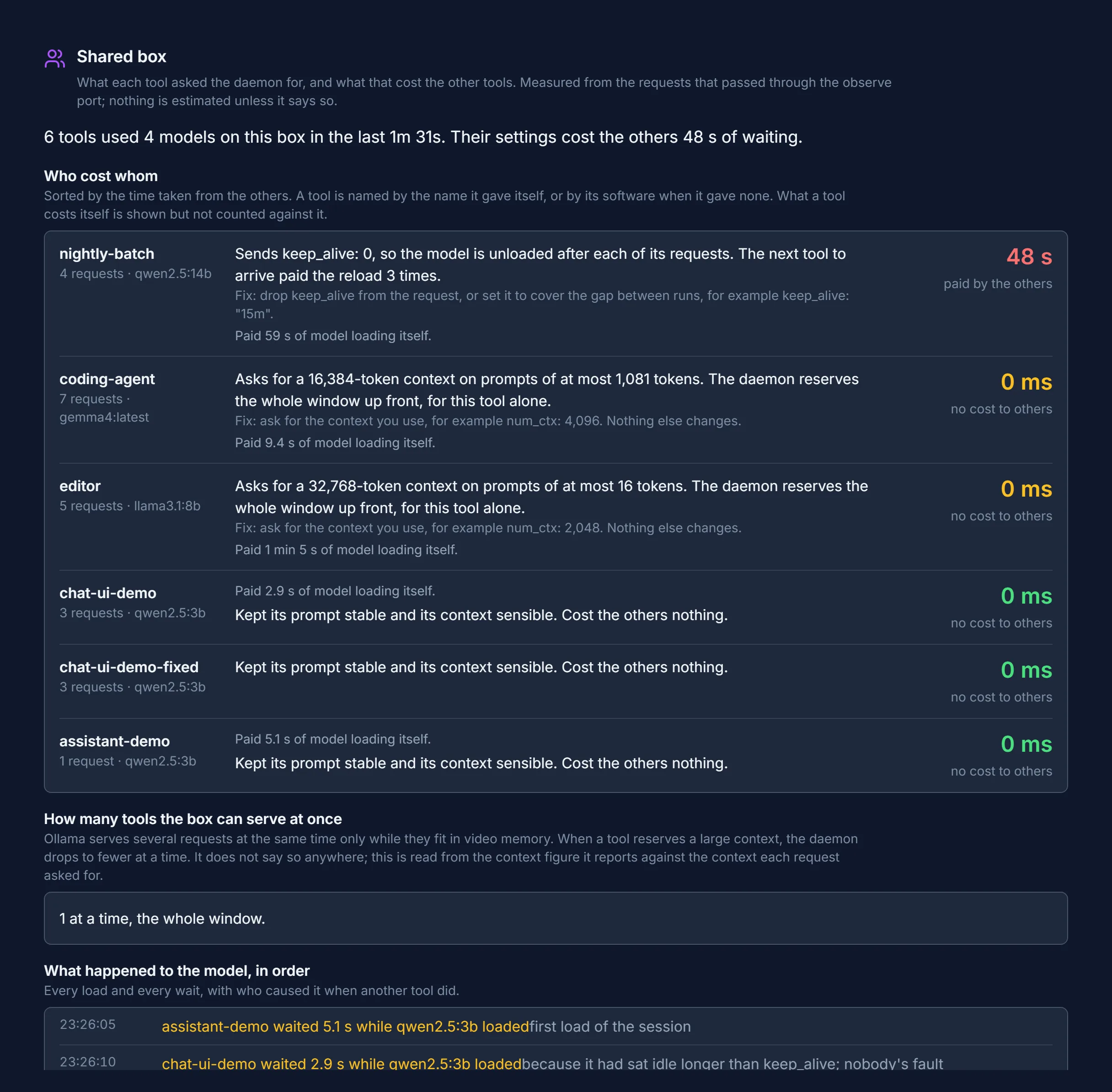
One line per tool, sorted by the waiting time it caused the others.
Each line says what to change. A tool that cost nothing is listed too.
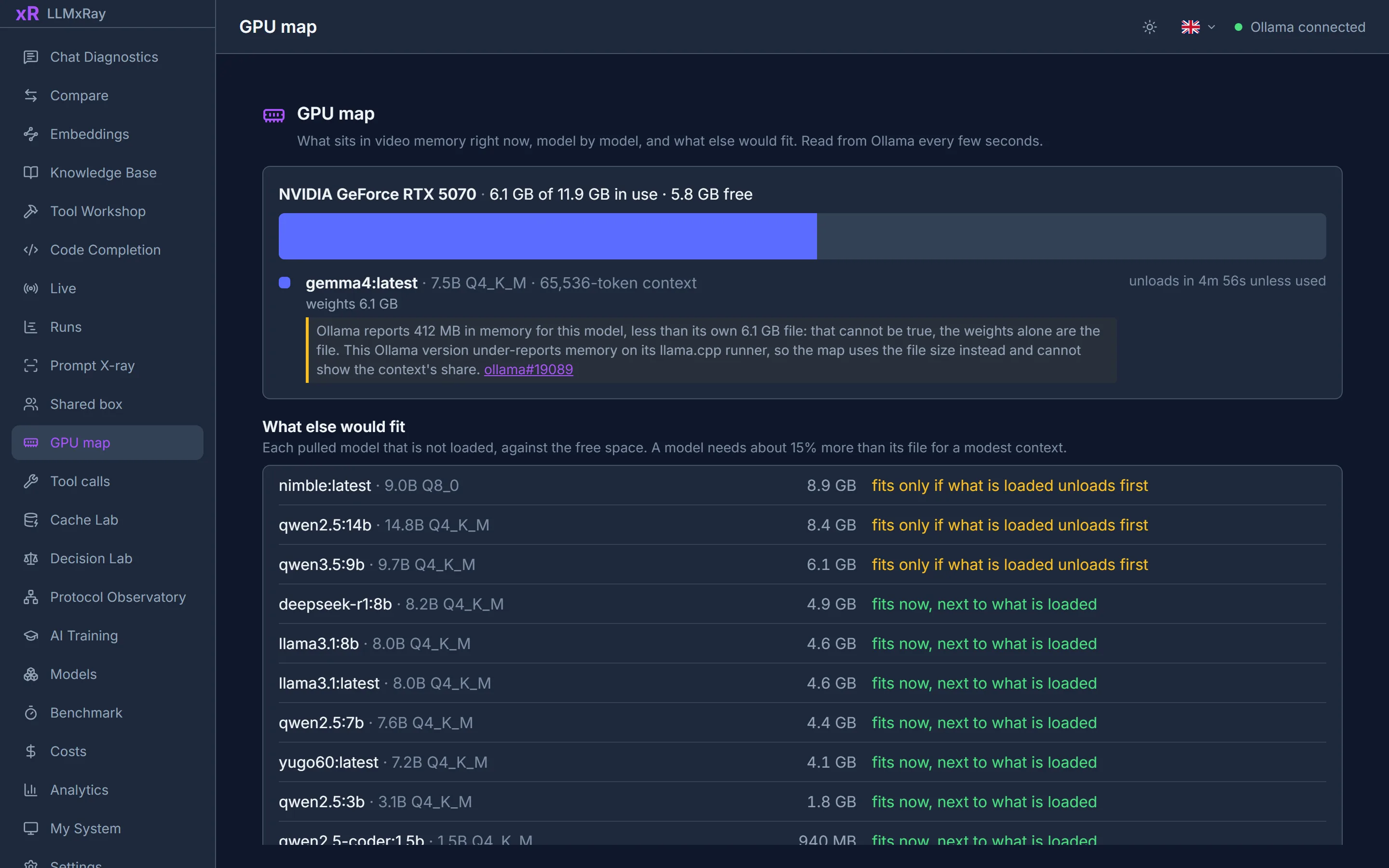
One bar the width of your graphics card: what is loaded, what is free.
Under it, every model you have pulled, with a plain verdict: fits now, fits alone, too big.
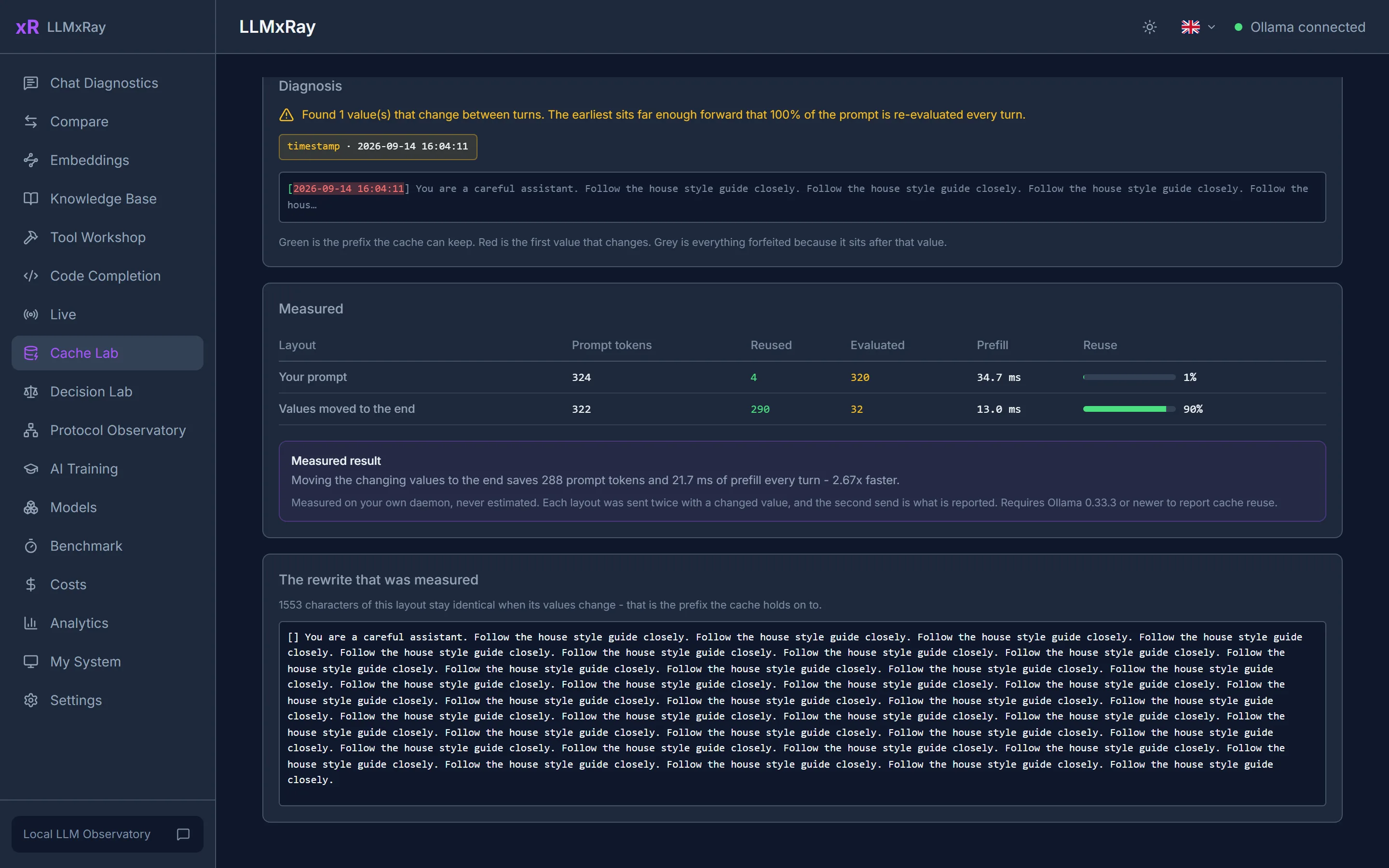
Paste your system prompt. Cache Lab finds what changes between turns and sends both orders to your own Ollama.
You get the measured difference, not an estimate.
Then use localhost:11435 instead of 11434 in that tool's settings.