
Embeddings
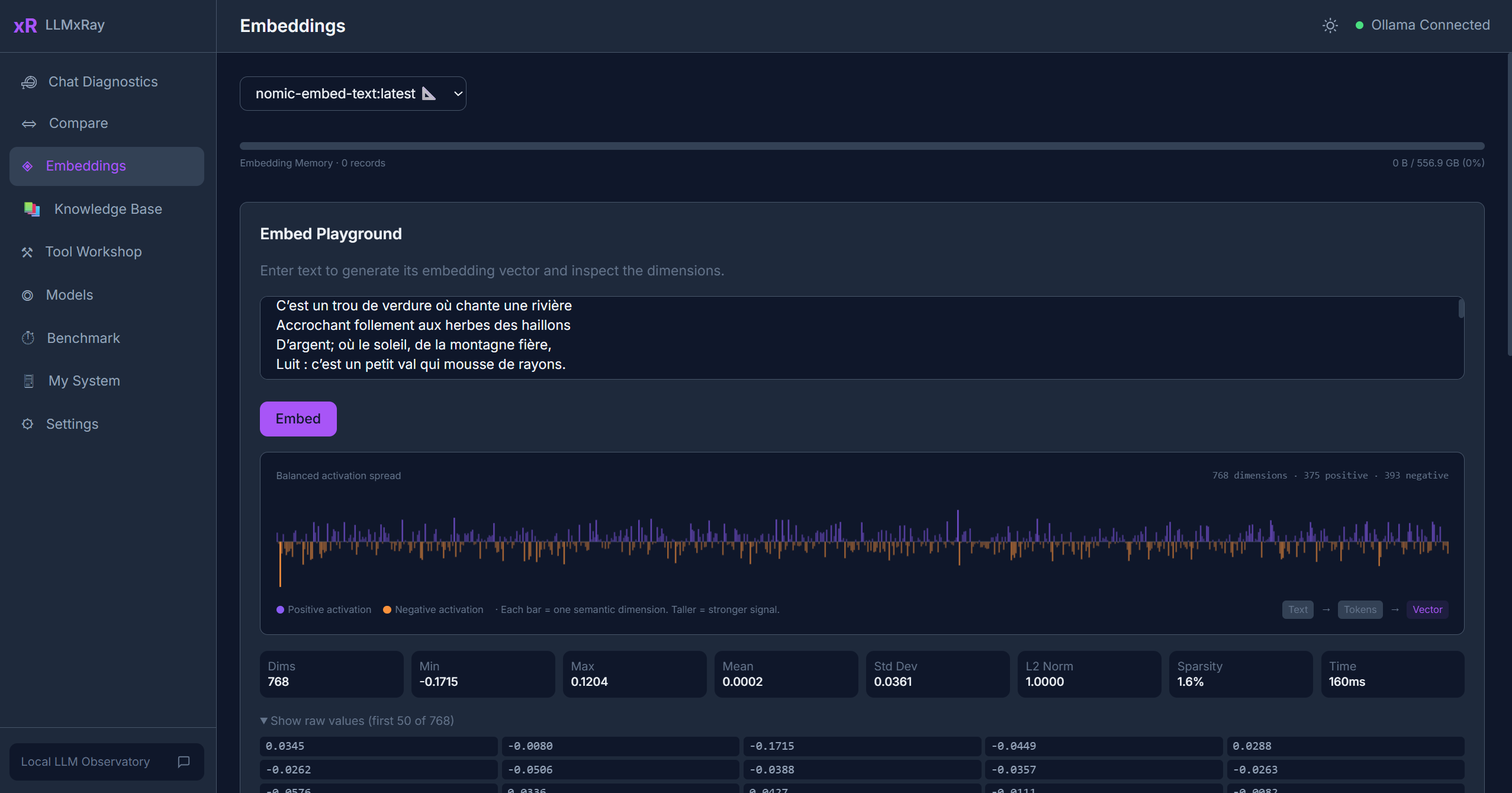
The Embeddings page lets you generate text embeddings and visually compare how semantically similar two pieces of text are.
Sidebar item: Embeddings Route: /embeddings
What Are Embeddings?
An embedding is a list of numbers (a vector) that represents the meaning of a piece of text. Texts with similar meanings produce vectors that point in similar directions. LLMxRay uses this concept to let you explore semantic similarity hands-on.
Embedding Text
- Select an embedding model from the dropdown. Only models with embedding capabilities appear (e.g.,
nomic-embed-text,all-minilm). - Enter text in the input area.
- Click Embed. The resulting vector is displayed as a visual bar chart.
No embedding model?
If no models appear in the dropdown, you need to pull one:
bash
ollama pull nomic-embed-textComparing Two Texts
- Enter text in both input areas.
- Click Compare. Both texts are embedded and compared.
- The cosine similarity meter shows how semantically close the two texts are:
- 1.0 — Identical meaning
- 0.7+ — Very similar
- 0.3–0.7 — Somewhat related
- < 0.3 — Unrelated
Use Cases
- Understanding embeddings — See what these numbers actually represent
- Testing RAG relevance — Check if your documents will match user queries
- Exploring synonyms — See how the model understands semantic relationships
- Educational — Great for AI/ML coursework on vector representations
Tips
- Different embedding models produce different vector dimensions and similarity scores.
- Short, focused texts produce more meaningful comparisons than long paragraphs.
- Results are stored in the session and can be reviewed later.